Mix and Match Policies
A policy in Permit.io decides who can perform which action on which resource. Permit supports several policy models: role-based access control (RBAC), attribute-based access control (ABAC), relationship-based access control (ReBAC), and custom policy as code. You can mix and match these models in the same policy: use the one that fits each rule rather than one model for the whole application.
Compare the models
| Model | Decides by | Good for | Example rule | In Permit | Start here |
|---|---|---|---|---|---|
| RBAC | The user's role | Job functions | Editors can update documents | Roles in the Policy Editor | RBAC overview |
| ABAC | User, resource, and tenant attributes | Rules based on location, time, or plan | EU employees can edit GDPR-protected documents | User sets and resource sets | ABAC overview |
| ReBAC | The user's relationship to a resource instance | Hierarchies, ownership, and sharing | Folder owners can delete the files in the folder | Resource roles, relations, and role derivations | ReBAC overview |
| Policy as code | Your own Rego code | Rules the Policy Editor can't express | A temporary admin role works only within a date range | Custom Rego in a GitOps repository | Write custom policies |
Roles (RBAC)
RBAC assigns permissions to roles, and roles to users. A user can perform an action on a resource when one of their roles allows it.
Examples:
- Only HR managers can update employee details.
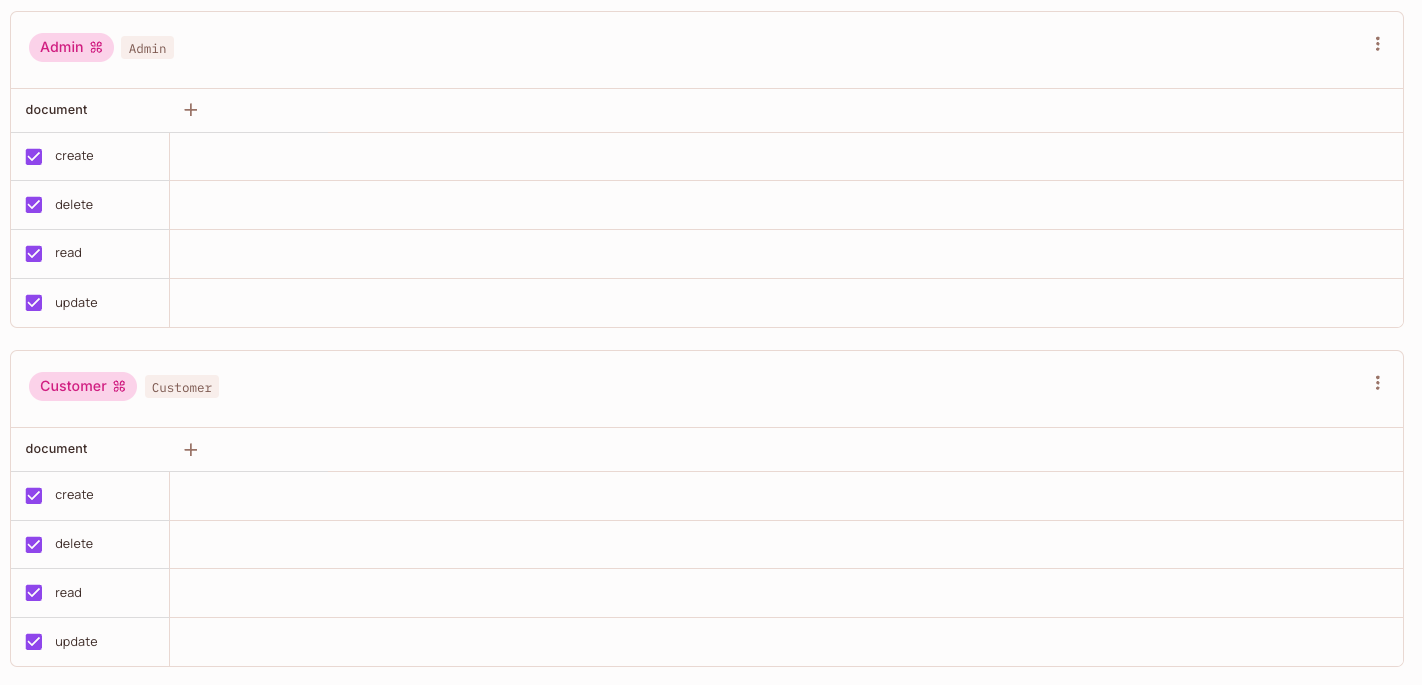
- Admins can create, read, update, and delete documents. Customers can only read them.
- A user is an
Adminin one tenant and aCustomerin another.
RBAC in Permit
You create roles and resources (with their actions) in the Policy Editor, then check the actions each role can perform. You assign roles to users per tenant in the Directory.
Learn more in the RBAC overview, then follow Building an RBAC policy.
Attributes (ABAC)
ABAC evaluates attributes of the user, the resource, and the tenant instead of a fixed role. Access changes when the attribute values change, without reassigning roles.
Examples:
- Employees based in the European Union can perform any action on GDPR-protected documents.
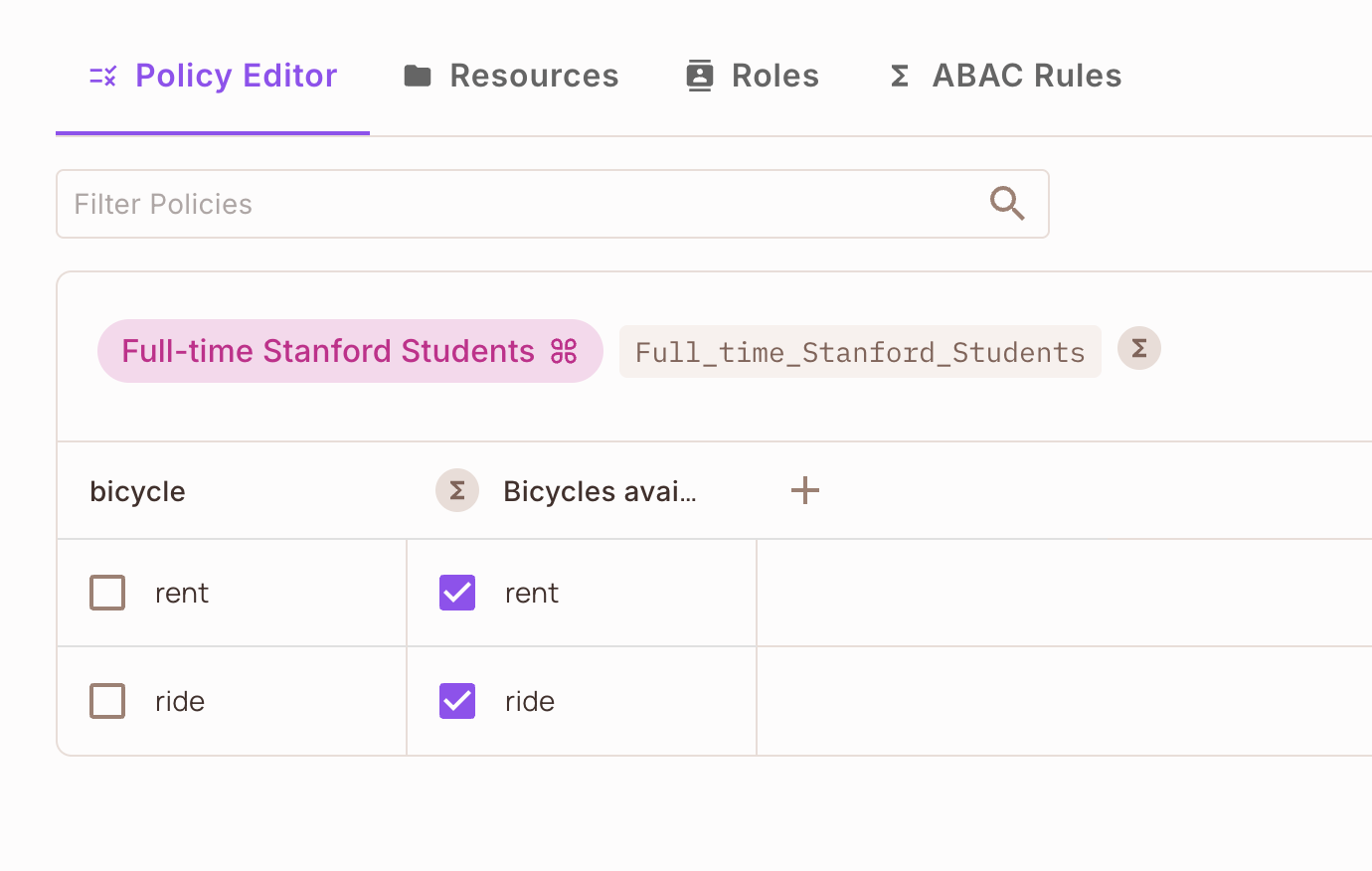
- Full-time students at a university can rent bicycles after 5pm.
- Users in paying tenants can use a premium feature.
ABAC in Permit
You define user attributes in the Directory and resource attributes on each resource. On the ABAC Rules tab of the Policy screen, you create user sets (dynamic roles) and resource sets (dynamic resources) from attribute conditions. Then you check the actions a user set can perform on a resource set in the Policy Editor.
Learn more in the ABAC overview, then follow Building your first ABAC policy.
Relationships (ReBAC)
ReBAC grants access based on how users and resource instances are related, such as a file that sits in a folder. A role on one instance can derive a role on the instances related to it.
Examples:
- The owner of a folder is also the owner of every file in it.
- Members of the HR team can edit the legal documents that belong to the team.
- A doctor can read the medical records of the patients they treat.
ReBAC in Permit
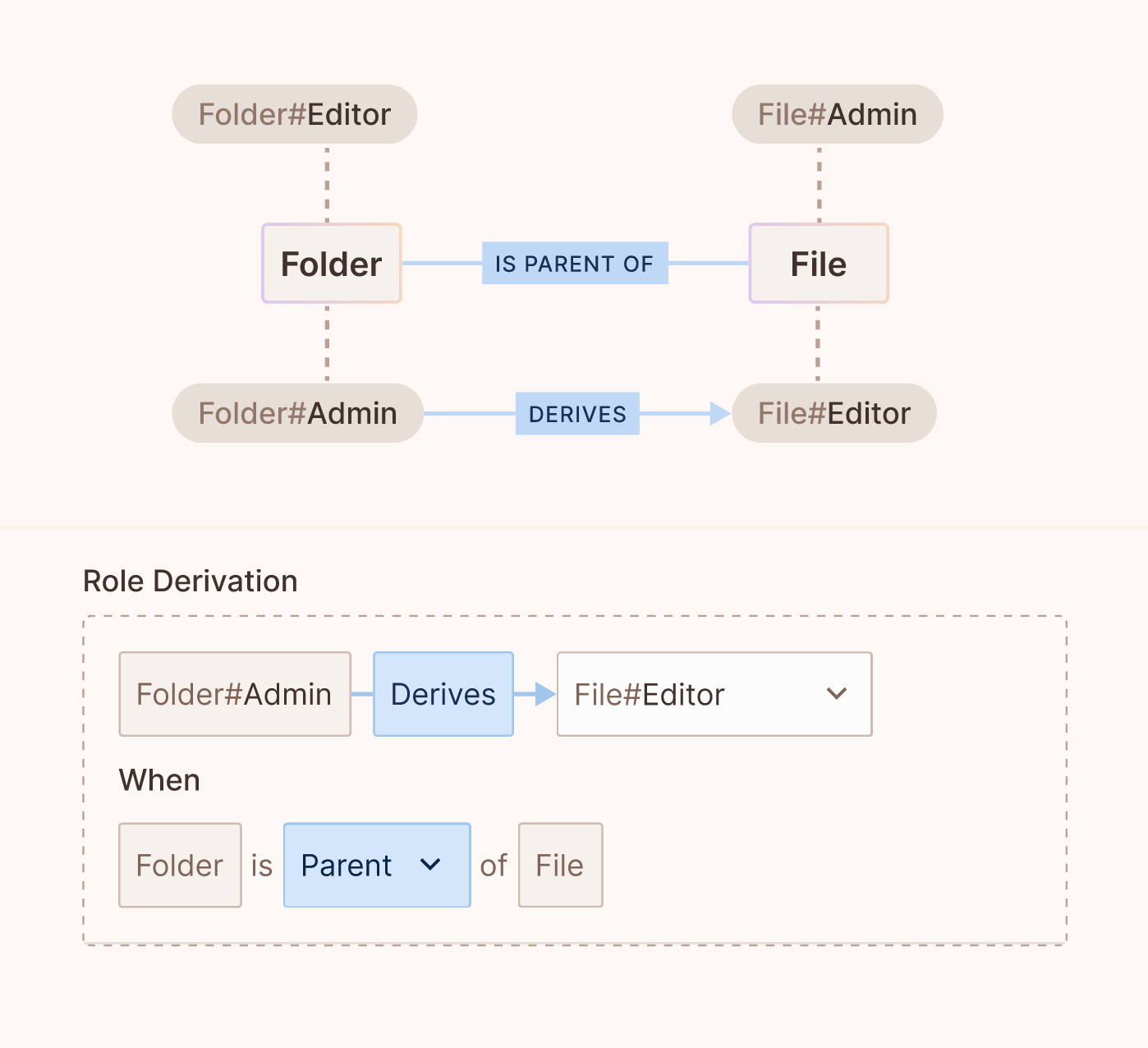
You define resources and the relations between them, then add resource roles such as Folder#Admin. Role derivations grant a role on a related instance, for example Folder#Admin derives File#Editor when the folder is the parent of the file. You create the relationships between specific instances in the Directory, on the Instances tab.
Learn more in the ReBAC overview, then follow Building ReBAC policies.
Policy as code
The Policy Editor generates policy code (primarily Open Policy Agent Rego) and, with the GitOps feature, stores it in a Git repository you own. You add your own Rego code next to the generated code, and the policy decision point (PDP) evaluates both.
Examples:
- A deny rule that blocks a
tmp-adminrole outside a date range, even when another rule allows the action. - A dynamic attribute computed in Rego, such as whether user and resource attributes intersect, that you then use in ABAC rules.
- Code reviews, tests, and approvals on policy changes before they reach an environment.
Policy as code in Permit
The policy repository has a permit folder with the generated code and a custom folder for your Rego. A root.rego file decides how the generated policy and your custom rules combine.
allow {
   policies.allow
}

allow {
   custom.allow
}
Learn more in the GitOps overview, then follow Write custom policies.
Combining models
Start with RBAC for the permissions that follow a user's job function. Add ABAC where a rule depends on data such as location, time, or plan. Add ReBAC where access follows ownership or a hierarchy of resources.
The policies you build in the Policy Editor, whether RBAC, ABAC, or ReBAC, are allow rules. By default, a user is allowed when any of them, or a custom rule, allows the action. To require a custom rule in addition to the generated policy, change root.rego as described in Write custom policies.
For a worked example, the Food delivery system example combines all three models for one action: a user needs the rider role (RBAC), the order must be assigned to them (ReBAC), and free-delivery orders require 500 or more rides (ABAC).
Next steps
- Policy basics: create resources, actions, roles, users, and tenants in the Policy Editor.
- Google Drive (Zanzibar): model a file-sharing permission system with ReBAC.
- Healthcare demo application: RBAC, ABAC, and ReBAC in one application.
- Fintech / banking demo application: multi-tenant RBAC and collaboration flows.
- Learn by example: all worked examples.