Get your API Key
To start using Permit.io, you’ll need an API key to authenticate your application with the Permit platform. This key is essential for accessing Permit’s authorization services and managing your app's permissions.
Get your Permit Environment API Key
To get your API key:
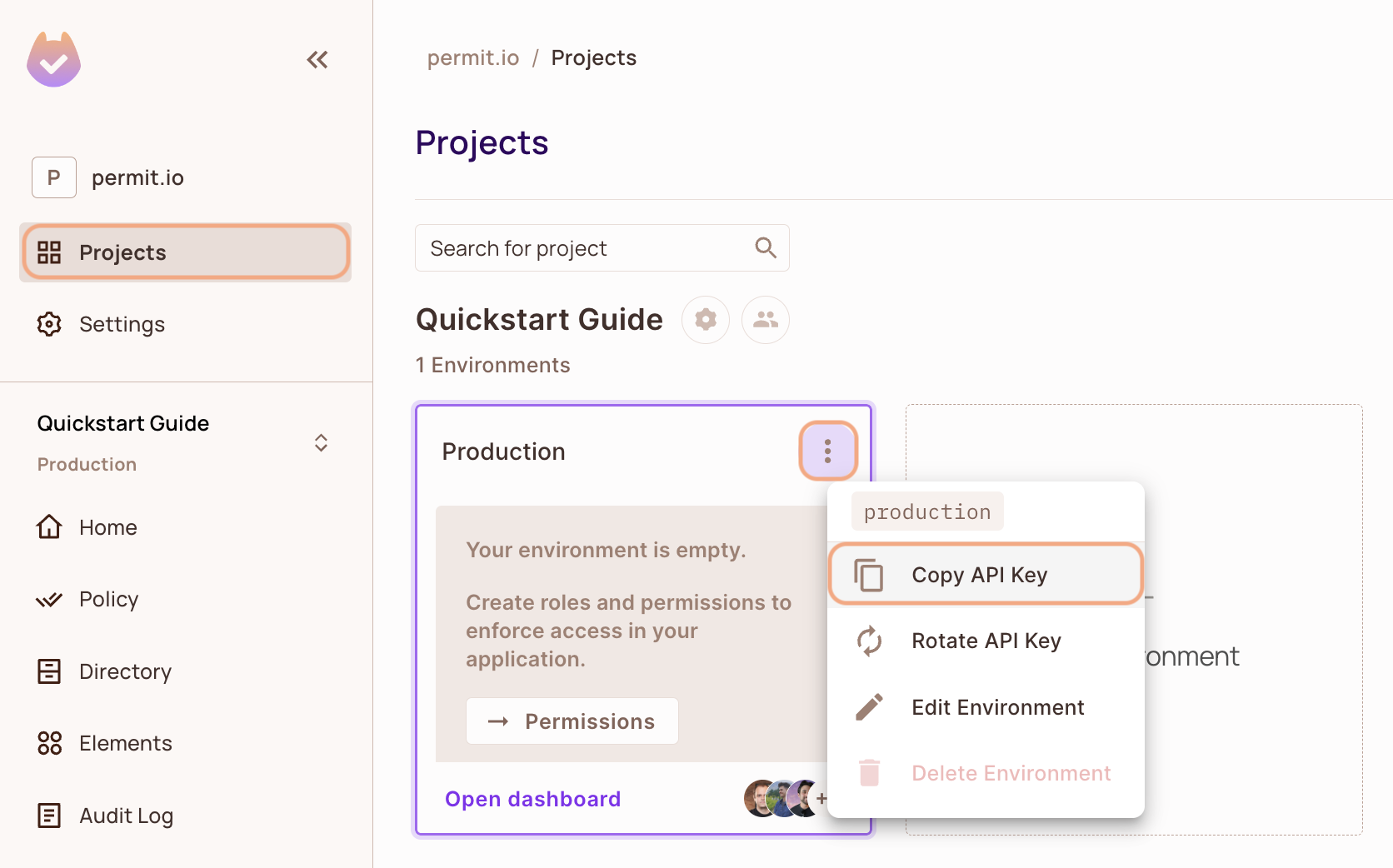
- Open the Permit Dashboard and go to the Projects screen.
- Select the desired Project and Environment.
- On the environment card, click the
 in the top-right corner.
 - Choose Copy API Key from the dropdown menu.
TOP TIP
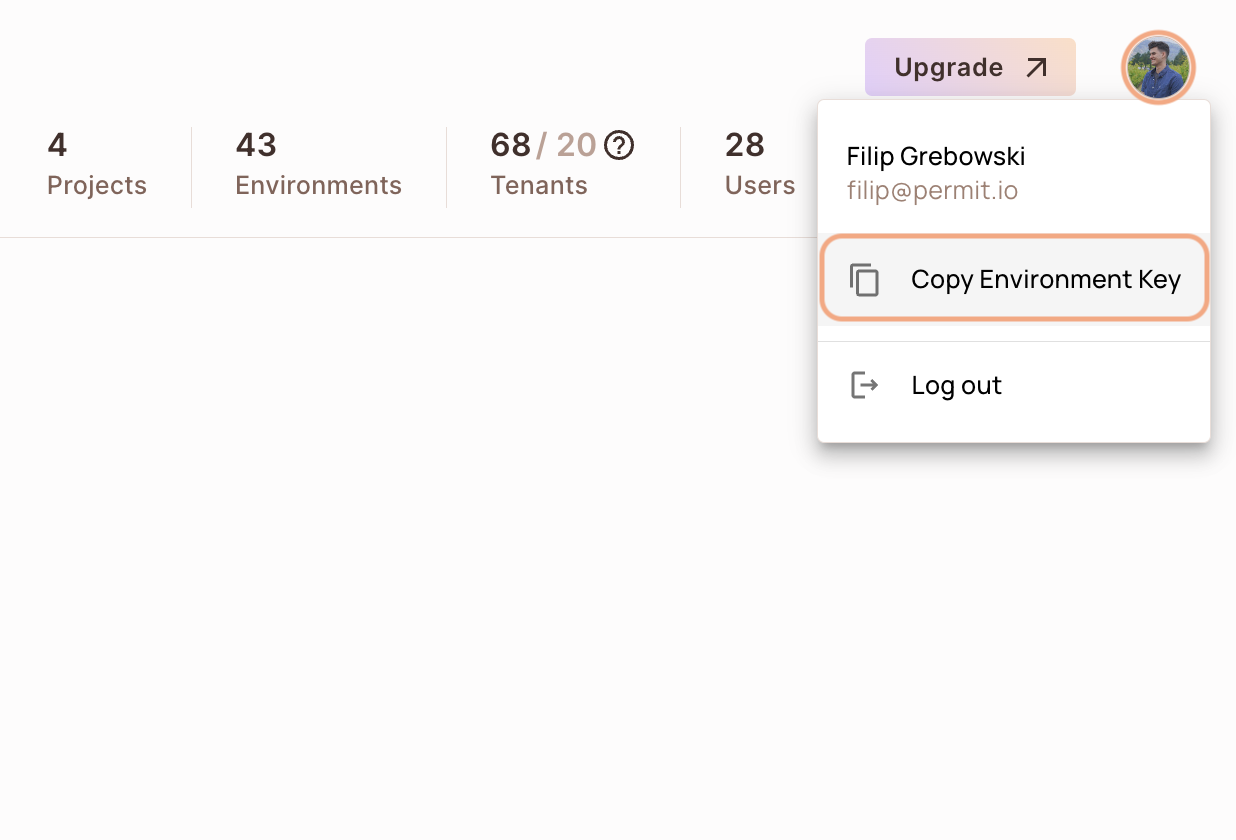
You can also copy the Environment API Key of the active environment by clicking on the User Menu Icon > Copy Environment Key
Remember
The API Key that you will copy from the user menu is linked to the active environment on the sidebar. Switching to another active environment and then clicking on the Copy Environment Key option will copy a different API Key - the API key of the newly activated environment.